
Free, impartial UK connectivity advice
FREE GUIDE — PLAIN ENGLISH — UK FOCUS

Smart Home Setup Guides

Smart home technology has never been more accessible — or more confusing. Dozens of competing devices, multiple ecosystems, and an alphabet soup of wireless standards can make it hard to know where to start. These free guides cut through the noise and give you practical, plain English advice on setting up and getting the most from your smart home — whatever your starting point.

BEFORE YOU BUY ANYTHING

Four Questions to Answer Before Setting Up a Smart Home

The biggest smart home mistakes happen before a single device is plugged in. Answer these four questions first and you will save yourself money, frustration, and the headache of incompatible devices.

1

Which voice assistant do you already use — or prefer?

Amazon Alexa, Google Home, and Apple HomeKit are the three main smart home ecosystems in the UK. The devices you buy need to be compatible with your chosen ecosystem. Buying devices first and choosing an ecosystem later is the most common and most expensive mistake in smart home setup.

💡 Already have an Alexa or Google Nest? Build around what you have.

2

Is your Wi-Fi strong enough throughout your home?

Smart home devices rely on a consistent Wi-Fi or wireless signal to function reliably. If your Wi-Fi has dead zones or weak coverage in parts of your home — particularly in the garden, garage, or loft — devices in those areas will be unreliable or fail to connect entirely. Sort your Wi-Fi coverage before adding smart devices.

💡 See our Wi-Fi guides if coverage is an issue.

3

What do you actually want your smart home to do?

Smart home technology is most useful when it solves a specific real-world problem — reducing energy bills, improving home security, making lighting more convenient, or automating repetitive tasks. Starting with a clear goal leads to better purchasing decisions than buying devices because they seem interesting and hoping to find a use for them later.

💡 Our room by room guides below are organised by goal rather than device type.

4

Do you want to future-proof with Matter compatibility?

Matter is the new universal smart home standard backed by Apple, Google, Amazon, and Samsung. Matter-compatible devices work across all major ecosystems, reducing the risk of buying devices that become locked into one platform. Where available at a similar price, choosing Matter-compatible devices is the most future-proof approach to building a smart home in 2026.

💡 Look for the Matter logo when purchasing new smart home devices.

The Recommended Starting Point for Most UK Households

Choose one ecosystem, start with one room, and get that working reliably before expanding. The most common mistake is buying too many devices from too many brands too quickly — and ending up with a complicated setup that is unreliable and frustrating to manage.

Step 1

Choose your ecosystem

Step 2

Sort your Wi-Fi coverage

Step 3

Start with one room or goal

Step 4

Expand gradually once stable

CHOOSING YOUR ECOSYSTEM

Which Smart Home Ecosystem Is Right for You?

The three main smart home ecosystems available in the UK each have different strengths, device ranges, and price points. Here is an honest comparison to help you choose — plus a note on the Matter standard that is starting to bridge the gap between all of them.

🔵

Amazon Alexa

Most Popular in UK

Hub Devices

Amazon Echo, Echo Dot, Echo Show, Fire TV

Device Range

Largest range of compatible devices in the UK

Price Point

Entry-level Echo Dot from around £30

Matter Support

Yes — Echo 4th gen and above

Amazon Alexa is the most widely used smart home ecosystem in the UK, with the largest range of compatible third-party devices. The Echo range of smart speakers and displays acts as the hub, and Alexa integrates with thousands of devices from lighting and heating to security cameras and door locks. Alexa is the most accessible starting point for most UK households — particularly those who are new to smart home technology.

✅ Best for

New smart home users, mixed device brands, budget-conscious setups, UK Amazon Prime subscribers

⚠ Consider

Amazon's ecosystem is cloud-dependent — devices may stop working if Amazon changes or discontinues a service

🟢

Google Home

Strong Android Integration

Hub Devices

Google Nest Mini, Nest Audio, Nest Hub, Chromecast

Device Range

Wide range, slightly smaller than Alexa in the UK

Price Point

Nest Mini from around £35

Matter Support

Yes — Nest Hub 2nd gen and above

Google Home integrates tightly with Android smartphones and Google services — Calendar, Maps, Gmail, and YouTube — making it a natural fit for households already embedded in the Google ecosystem. The Nest range of smart speakers and displays acts as the hub. Google's voice recognition is widely regarded as the most accurate of the three ecosystems, and its search capabilities make it strong for informational queries as well as device control.

✅ Best for

Android users, Google Workspace users, households wanting tight calendar and search integration

⚠ Consider

Google has discontinued some smart home products in the past — worth checking current product availability before investing heavily

Apple HomeKit

Best Privacy & Security

Hub Devices

Apple HomePod, HomePod Mini, Apple TV 4K, iPad

Device Range

Smaller range — requires HomeKit certification

Price Point

HomePod Mini from around £99

Matter Support

Yes — HomePod and Apple TV 4K act as Thread border routers

Apple HomeKit requires an iPhone or iPad to set up and manage, making it exclusively an Apple ecosystem play. Its strengths are privacy — Apple processes as much as possible on-device rather than in the cloud — and security, with strict certification requirements for compatible devices. HomeKit has a smaller device range than Alexa or Google but the quality of compatible devices tends to be higher. Apple HomePod and Apple TV 4K also act as Thread border routers, making them excellent foundations for a Matter-based smart home.

✅ Best for

iPhone and iPad households, privacy-conscious users, those willing to pay a premium for quality and security

⚠ Consider

Requires Apple devices to set up and manage — not suitable for Android-only households. Higher entry cost.

🔗

Matter — The Universal Standard

Works With All Three Ecosystems

Matter is not an ecosystem in itself — it is a universal connectivity standard that allows smart home devices to work across Alexa, Google Home, and Apple HomeKit simultaneously. A Matter-certified smart bulb can be controlled by all three platforms at the same time, from the same device, without any compatibility issues.

Why It Matters

Buying Matter-compatible devices now means you are not locked into one ecosystem. If you switch from Alexa to Google Home in the future, your devices come with you.

What to Look For

The Matter logo on device packaging. Growing numbers of smart lighting, plugs, thermostats, and security devices now carry Matter certification.

Current Limitations

Not all device types are Matter-certified yet and the standard is still maturing. Zigbee and Z-Wave devices remain the better choice for some categories — particularly sensors and locks.

Quick Recommendation Summary

New to smart home

→ Start with Amazon Alexa

Android household

→ Consider Google Home

iPhone household

→ Consider Apple HomeKit

Future-proofing

→ Choose Matter-compatible devices

PRACTICAL SETUP GUIDES

Room by Room Smart Home Setup

Each guide below covers a specific room or goal — what devices to consider, how to set them up, and what to watch out for. Start with the area that will make the biggest difference to your daily life.

🛋️

Living Room

The living room is the most popular starting point for a smart home — it is where most households spend the most time and where smart technology makes the most immediate difference to daily comfort and convenience.

Smart Speaker or Display

An Echo or Nest device acts as the control centre for your entire smart home. Place it centrally — on a bookshelf or side table — for best voice pickup range. Avoid positioning near TVs or music speakers that produce background noise.

Setup tip: Complete all app setup on your smartphone before plugging in the device.

Smart Lighting

Smart bulbs are the easiest entry point into smart home lighting. Replace existing bulbs with smart equivalents — Philips Hue, LIFX, or cheaper alternatives — and control them by voice or app. For multi-bulb setups, group bulbs into rooms within your ecosystem app for single-command control.

Setup tip: Never turn smart bulbs off at the wall switch — they need constant power to receive commands.

Smart TV Integration

Most modern smart TVs support Alexa or Google Home integration — allowing voice control of power, volume, and content. If your TV does not, a Chromecast, Fire TV Stick, or Apple TV adds this functionality. Check your TV's settings app or manual for voice assistant compatibility.

Setup tip: Link your TV through the Alexa or Google Home app — not just the TV's own settings.

🍳

Kitchen

The kitchen benefits most from hands-free voice control — setting timers, adding items to shopping lists, checking recipes, and controlling lighting without touching anything mid-cook.

Smart Speaker — Compact Model

An Echo Dot or Nest Mini is ideal for the kitchen — small enough to sit on a worktop without taking up prep space. Use it for timers, unit conversions, recipe steps read aloud, and hands-free shopping list management via Alexa Shopping or Google Shopping.

Setup tip: Position away from the hob and kettle to avoid steam and heat damage.

Smart Plugs

Smart plugs turn any standard appliance into a smart device — useful for kettle automation, coffee machine scheduling, or simply being able to check remotely whether you left the iron on. Compatible with Alexa and Google Home. Look for UK-standard 13-amp smart plugs with energy monitoring built in for added value.

Setup tip: Never use smart plugs with appliances that should not be left on unattended — always check appliance safety guidance.

Under-Cabinet Smart Lighting

Smart LED strip lights under kitchen cabinets provide practical task lighting that can be voice-controlled or automated. Philips Hue Lightstrip and similar products can be cut to size and connect to your existing ecosystem. Colour temperature control — from warm white to cool daylight — is useful for switching between cooking and dining modes.

Setup tip: Measure your cabinets before purchasing — LED strips cannot be extended once cut.

🔒

Home Security

Smart security is one of the most practical and immediately reassuring areas of smart home technology — giving you visibility of your home from anywhere via your smartphone.

Video Doorbell

A video doorbell lets you see, hear, and speak to whoever is at your front door from anywhere via your phone. Ring and Nest Hello are the most popular UK choices. Most integrate with Alexa or Google Home for live view on a smart display. Check whether your property has an existing doorbell wiring that can power a wired model — wired doorbells are more reliable than battery-powered alternatives.

Setup tip: Check your broadband upload speed — video doorbells need consistent upload bandwidth for reliable live view.

Indoor & Outdoor Cameras

Smart security cameras provide live and recorded video accessible from your smartphone. Key factors to consider are resolution, night vision quality, local versus cloud storage, subscription requirements, and weather resistance for outdoor use. In the UK, cameras must comply with GDPR data protection rules — cameras covering public areas or neighbouring properties must be clearly signposted.

Setup tip: Position outdoor cameras under an eave where possible to protect from direct rain and reduce IR glare at night.

Smart Door Locks

Smart door locks allow keyless entry via PIN, fingerprint, or app — and can grant or revoke access remotely. In the UK most smart locks retrofit onto existing deadbolts rather than replacing the entire lock mechanism, making installation relatively straightforward. Yale and Ultion are well-regarded UK-compatible brands. Confirm compatibility with your door type and lock before purchasing.

Setup tip: Always keep a physical key as a backup — smart locks can fail if batteries run low or connectivity is lost.

🌡️

Heating & Energy

Smart heating is one of the areas where smart home technology delivers the most tangible financial benefit — reducing energy waste and lowering heating bills through intelligent scheduling and remote control.

Smart Thermostat

A smart thermostat replaces your existing heating controller and allows scheduling, remote control via app, and in some models learning your routine automatically. Nest Learning Thermostat, Hive Active Heating, and tado° are the most popular UK options. All three integrate with Alexa and Google Home. Confirm compatibility with your boiler type before purchasing — most UK gas combi boilers are supported but check the manufacturer's compatibility tool.

Setup tip: Professional installation is recommended for smart thermostats unless you are confident with boiler wiring.

Smart Radiator Valves (TRVs)

Smart thermostatic radiator valves replace the manual TRV heads on individual radiators, allowing room-by-room temperature control from an app. This means you only heat rooms that are occupied — reducing waste significantly. tado°, Hive, and Drayton Wiser are popular UK choices. Smart TRVs work most effectively when paired with a compatible smart thermostat from the same brand.

Setup tip: Measure your existing TRV thread size before ordering — most UK radiators use M30 x 1.5 but check first.

Smart Energy Monitors

A smart energy monitor clips onto your electricity supply cable in your consumer unit and sends real-time consumption data to an app. Devices like Sense, Emporia, or the built-in monitoring on some smart plugs give you visibility of what is using the most energy in your home. Particularly useful for identifying high-draw appliances and understanding the impact of smart home devices on your electricity bill.

Setup tip: A smart meter from your energy supplier provides similar data for free — check if you have one installed first.

🛏️

Bedroom

Smart bedroom technology focuses on improving sleep quality, morning routines, and convenience — gradual wake lighting, automated blinds, and sleep environment monitoring are all practical applications.

Wake-Up Lighting

Smart bulbs configured to gradually brighten in the 30 minutes before your alarm time simulate a natural sunrise, making waking up significantly easier — particularly in winter months. Most smart lighting ecosystems support sunrise simulation through their scheduling features. Philips Hue has dedicated wake-up routines built into the app.

Setup tip: Set the routine to start 20–30 minutes before your target wake time for best effect.

Smart Blinds & Curtains

Motorised smart blinds can be scheduled to open and close automatically — useful for morning routines, energy management, and privacy. IKEA FYRTUR and Soma Smart Shades are mid-range UK options. Higher-end solutions from Lutron or Somfy integrate deeply with all major ecosystems. Retrofit motors for existing blinds are also available and can be more cost-effective than full blind replacement.

Setup tip: Measure blind width carefully — most motorised systems have maximum width limits.

Goodnight Routine Automation

A goodnight routine triggered by voice command or a bedside smart button can turn off all lights, lock the front door, check security cameras, lower the heating, and set your alarm — all in one action. Set this up through the Routines feature in your Alexa or Google Home app by combining multiple device actions into a single trigger command.

Setup tip: Test the routine several times before relying on it — always verify the door lock physically until you are confident it is working correctly.

TROUBLESHOOTING

Common Smart Home Problems & How to Fix Them

Smart home technology is generally reliable once set up correctly — but when things go wrong it can be frustrating to diagnose. Here are the most common issues UK smart home users encounter and the most effective fixes for each.

📶

Device Won't Connect to Wi-Fi

One of the most common setup issues — particularly with smart plugs, bulbs, and cameras. Usually caused by one of three things: the device only supports 2.4GHz Wi-Fi and your phone is on 5GHz during setup, the Wi-Fi password contains special characters the device cannot handle, or the device is too far from the router during initial setup.

Fix:

  • Temporarily connect your phone to your 2.4GHz network during the device setup process
  • If your router combines 2.4GHz and 5GHz under one SSID, temporarily separate them in router settings during setup
  • Move the device within 2 metres of the router for initial pairing, then relocate once connected
  • Avoid special characters like ! @ # in Wi-Fi passwords if possible — some devices struggle with them
🗣️

Voice Commands Not Working or Being Misunderstood

Alexa or Google not responding correctly to device commands is usually caused by device naming confusion, the device not being properly linked to the ecosystem app, or background noise interfering with voice recognition.

Fix:

  • Give devices simple, distinct names — "Kitchen Light" works better than "Smart Bulb 1" or "Downstairs Main Ceiling Light"
  • Avoid device names that sound similar to each other or to common words
  • Open your Alexa or Google Home app and run device discovery again — the device may not have been found initially
  • Check the device is correctly assigned to the right room group within the app
  • Move your smart speaker away from TVs, music speakers, and other noise sources
💡

Smart Bulbs Turning Off When Light Switch Is Used

The most common smart lighting frustration — other household members keep turning lights off at the wall switch, cutting power to the smart bulbs and making them unavailable until the switch is turned on again. Smart bulbs need constant power to receive commands.

Fix:

  • Educate all household members — smart bulbs must never be turned off at the wall switch
  • Replace wall switches with smart switches or smart dimmers that pass through constant power while adding smart control at the switch itself
  • Use switch covers or child-lock style guards over existing switches as a visual reminder not to use them
  • Alternatively switch from smart bulbs to smart light switches — these work with any standard bulb and the switch itself provides the smart control
📡

Devices Dropping Offline Intermittently

Smart home devices that keep going offline and coming back are almost always suffering from weak Wi-Fi signal at their location, router congestion from too many connected devices, or IP address conflicts on the home network.

Fix:

  • Check the Wi-Fi signal strength at the device location using a Wi-Fi analyser app on your smartphone
  • If signal is weak consider adding a mesh node, Wi-Fi extender, or powerline adapter to improve coverage in that area
  • Restart your router — intermittent dropouts across multiple devices often resolve with a full router reboot
  • Check how many devices are connected to your router — if over 30, consider a router upgrade or network segmentation
  • In your router settings, assign static IP addresses to critical smart home devices to prevent IP conflicts
🔁

Automations and Routines Not Triggering

Scheduled routines or automations that worked previously have stopped firing — a common issue after firmware updates to smart speakers, changes to app permissions, or time zone issues after clocks change.

Fix:

  • Open your Alexa or Google Home app and check the routine is still enabled — updates sometimes disable routines
  • Check the time zone setting on your smart speaker or hub — UK clocks changing between GMT and BST can shift routine times by an hour
  • Delete and recreate the routine from scratch — sometimes routines become corrupted after app updates
  • Check that all devices included in the routine are currently online — if one device in a routine is offline the whole routine may fail silently
  • Ensure the app has the necessary permissions — location-based routines require location access on your smartphone
🔐

Smart Home Security Concerns

Smart home devices add convenience but also add potential security vulnerabilities if not properly secured. Default passwords, outdated firmware, and unsegregated networks are the most common risks in UK home setups.

Best Practices:

  • Change the default admin password on your router immediately — never leave it as the manufacturer default
  • Enable automatic firmware updates on all smart home devices where available
  • Use a separate guest network for IoT devices rather than your main home network — this isolates smart devices from computers and phones containing sensitive data
  • Use strong unique passwords for all smart home app accounts and enable two-factor authentication where available
  • Regularly review which devices are connected to your network and remove any you no longer use

Still Having Problems With Your Smart Home Setup?

If you have worked through the fixes above and are still experiencing issues, get in touch. Describe your setup, the devices you are using, and the problem you are seeing — and we will do our best to point you in the right direction. Free, no obligation.

A2B NETWORK HUB ON YOUTUBE

Watch Our Smart Home Video Guides

We have covered smart home technology in depth on our YouTube channel — including dedicated video guides on the Matter standard, mesh Wi-Fi for smart home setups, and how to get the most from your smart devices without the technical headache. All videos are free, plain English, and made for UK households.

More smart home guides are being added regularly — from specific device setup walkthroughs to ecosystem comparisons. Subscribe to A2B Network Hub so you do not miss them.
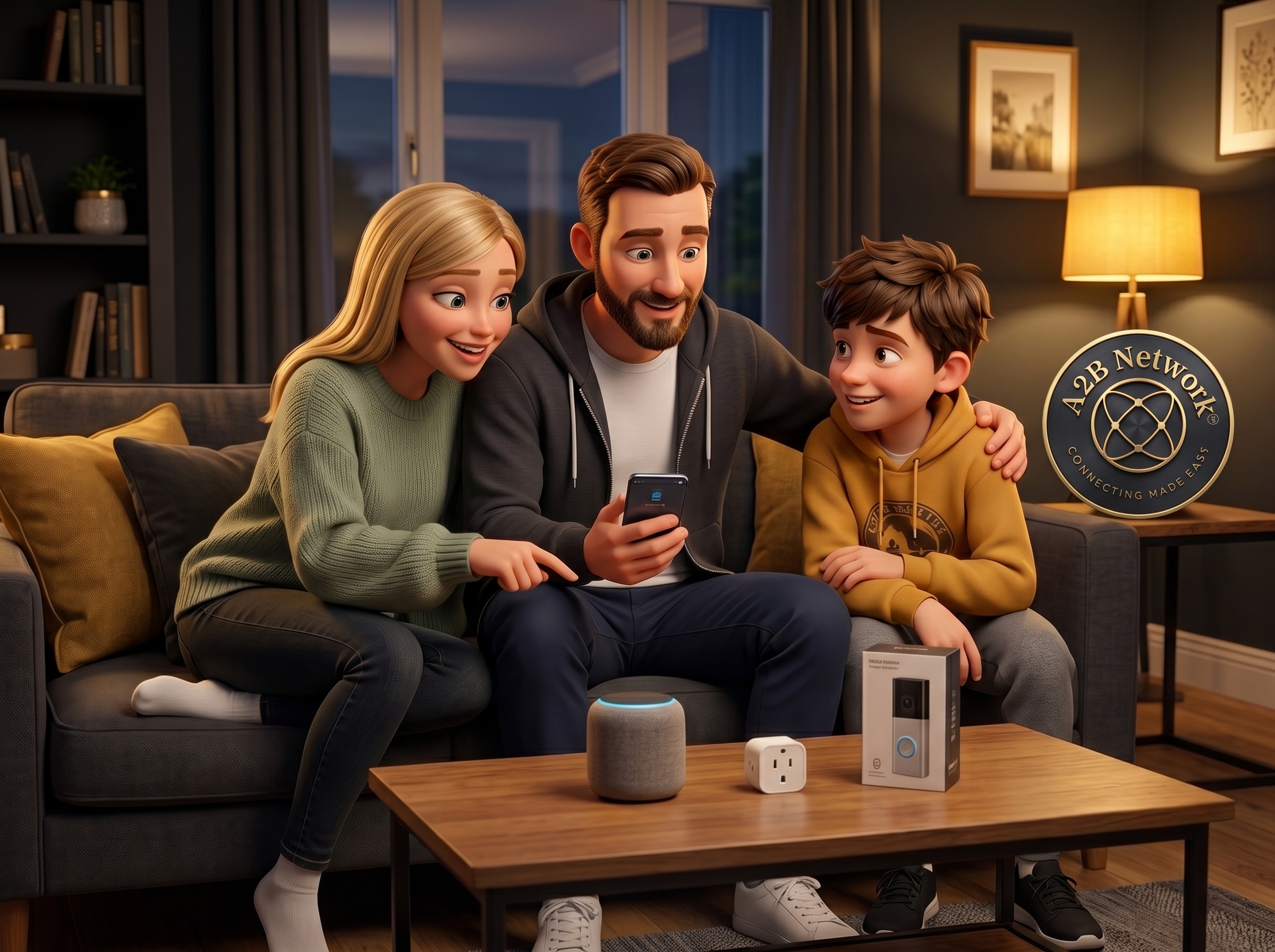
Smart Home Devices on Coffee Table

Continue Exploring the Knowledge Hub

Smart home technology works best when the rest of your connectivity is solid. Here are the most relevant related guides.

Wi-Fi & Networking

Smart home devices need solid Wi-Fi coverage throughout your home. If you have dead zones or weak signal in key areas, sort this first.

Wi-Fi Guides →

Home Network Glossary

Not sure what Zigbee, Matter, Thread, or Z-Wave actually mean? Our plain English glossary explains every smart home and connectivity term.

Visit the Glossary →

Check Your Broadband Speed

Smart home devices — particularly security cameras and video doorbells — need a solid broadband connection. Check yours is up to the job.

Run a Speed Test →

Back to Knowledge Hub

Browse all our free connectivity guides covering broadband, Wi-Fi, VoIP, mobile signal, smart home, and more.

Knowledge Hub →

Have a specific smart home question that is not covered here? We are happy to help — no charge, no obligation.

Contact Us →